

AI Presentation Generator: The Future of Seamless and Professional Slide Creation

Table Of Content
- What Is an AI Presentation Generator?
- Top Benefits of Using AI Presentation Generators
- 1. Speed and Efficiency
- 2. Consistent Design
- 3. Content Optimization
- 4. Enhanced Visual Appeal
- 5. Accessibility for Non-Designers
- Best AI Presentation Generators in 2025
- 1. Beautiful.ai
- 2. Tome.app
- 3. Canva’s Magic Design
- 4. Gamma.app
- 5. Pitch
- Key Use Cases of AI Presentation Tools
- 1. Business Proposals and Pitches
- 2. Educational Lectures
- 3. Marketing Campaigns
- 4. Project Reports
- 5. Webinars and Training
- How to Maximize the Potential of an AI Presentation Generator
- 1. Start With a Clear Prompt
- 2. Edit and Customize
- 3. Use Brand Guidelines
- 4. Integrate Multimedia
- 5. Collaborate in Real Time
- Are AI Presentation Generators Replacing Designers?
- Future Trends in AI-Driven Presentation Tools
- 1. Voice-Controlled Slide Creation
- 2. Advanced Personalization
- 3. AI-Driven Analytics
- 4. AR and VR Integration
- Conclusion
In today’s fast-paced digital landscape, AI-powered presentation generators are transforming how businesses, educators, and professionals create compelling, data-driven presentations. The era of manually designing every slide is being replaced by intelligent platforms that blend automation with creativity. This guide delves deep into the best AI presentation generators, their features, benefits, and how to harness them to boost productivity and deliver high-impact presentations.
What Is an AI Presentation Generator?
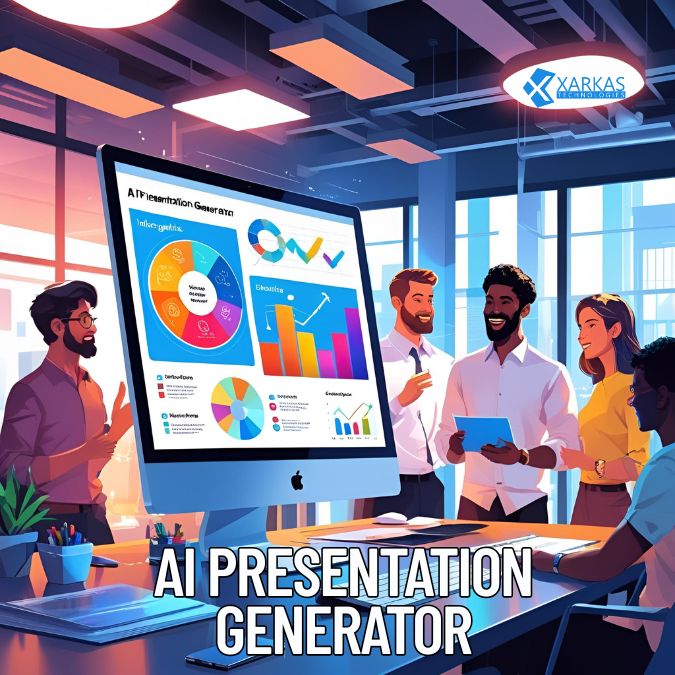
An AI presentation generator is a software tool powered by artificial intelligence that automatically creates presentation slides based on user input. These tools utilize natural language processing (NLP) and machine learning algorithms to understand prompts, generate content, apply design templates, and structure ideas logically.
With just a few keywords or a text prompt, AI can generate:
-
Titles
-
Bullet points
-
Visuals
-
Charts and graphs
-
Consistent slide layouts
These tools eliminate the need for manual formatting, reducing hours of design work to minutes.
Top Benefits of Using AI Presentation Generators
1. Speed and Efficiency
With AI, users can generate a complete presentation in minutes. This is a game-changer for professionals who need to prepare content quickly without compromising on quality.
2. Consistent Design
AI ensures that all slides follow a uniform theme, layout, and color scheme, creating a polished and professional appearance that adheres to branding guidelines.
3. Content Optimization
AI tools analyze the topic and tailor content to ensure clarity, coherence, and relevance. Some platforms even integrate with search engines to optimize slide content for SEO purposes.
4. Enhanced Visual Appeal
These generators use AI image recognition and design intelligence to add suitable visuals, infographics, and icons that enhance the overall impact.
5. Accessibility for Non-Designers
Even those without design skills can now create high-quality presentations, making these tools ideal for entrepreneurs, teachers, marketers, and corporate teams.
Best AI Presentation Generators in 2025
1. Beautiful.ai
Beautiful.ai offers smart templates that automatically adapt to your content. It uses design best practices to create visually stunning presentations that update dynamically as content changes.
-
Key Features:
-
Real-time team collaboration
-
Auto-adjusting layout
-
Built-in analytics
-
Export to PowerPoint and PDF
-
2. Tome.app
Tome revolutionizes storytelling through AI-generated narrative structures. It allows users to blend text, visuals, video, and live embeds seamlessly into presentations.
-
Highlights:
-
ChatGPT-powered content suggestions
-
One-click slide generation
-
Customizable design themes
-
3. Canva’s Magic Design
Canva, already a popular design platform, introduced Magic Design, an AI-powered feature that instantly creates presentations from text prompts.
-
Notable Tools:
-
Drag-and-drop interface
-
Brand kit integration
-
4. Gamma.app
Gamma leverages AI to build slides with interactive elements such as expandable sections, polls, and videos—perfect for modern business and education use.
-
Core Advantages:
-
Web-based sharing
-
No design skills needed
-
Seamless AI editing tools
-
5. Pitch
Pitch combines powerful collaboration tools with AI-enhanced design capabilities, allowing teams to create, review, and publish presentations at lightning speed.
-
Top Features:
-
AI-assisted formatting
-
Library of expert templates
-
Cloud-based real-time collaboration
-
Key Use Cases of AI Presentation Tools
1. Business Proposals and Pitches
AI-generated slides save time while producing persuasive proposals with professional formatting and visual impact. Sales teams benefit immensely from custom pitch decks created in minutes.
2. Educational Lectures
Teachers and instructors can generate curriculum-based slide decks, complete with diagrams and summaries, enabling them to focus more on delivery and engagement.
3. Marketing Campaigns
Marketers use AI to create visually consistent and SEO-friendly campaign presentations, including social media strategies, reports, and trend forecasts.
4. Project Reports
For managers and consultants, AI makes it easy to prepare comprehensive project updates, data visualizations, and timelines with minimal manual input.
5. Webinars and Training
Facilitators of online workshops and webinars benefit from well-structured presentations that keep the audience engaged through professional layouts and compelling narratives.
How to Maximize the Potential of an AI Presentation Generator
1. Start With a Clear Prompt
The more specific your input, the better the AI can tailor the output. Instead of “Marketing Strategy,” try “Digital Marketing Strategy for Product Launch in Q4 2025.”
2. Edit and Customize
While AI provides a great starting point, reviewing and personalizing the slides adds authenticity and enhances your message.
3. Use Brand Guidelines
Many tools allow uploading of brand logos, colors, and fonts, ensuring that the final output aligns with corporate identity.
4. Integrate Multimedia
Add your own videos, charts, and animations to supplement the AI’s content and create more engaging presentations.
5. Collaborate in Real Time
Leverage tools with real-time collaboration to co-create presentations with team members across locations.
Are AI Presentation Generators Replacing Designers?
While AI tools dramatically reduce the need for manual design, they augment rather than replace human creativity. Designers can focus on higher-level branding and storytelling, while AI handles the repetitive design tasks. This synergy creates presentations that are not only functional but also emotionally resonant and visually impactful.
Future Trends in AI-Driven Presentation Tools
1. Voice-Controlled Slide Creation
Voice-to-slide features are becoming mainstream, enabling users to speak their ideas and watch them turn into structured slides instantly.
2. Advanced Personalization
AI is moving toward adaptive presentations that change based on audience feedback, preferences, or demographic data.
3. AI-Driven Analytics
Expect dashboards that provide engagement metrics, audience behavior tracking, and suggestions to improve slide effectiveness.
4. AR and VR Integration
Next-generation presentation tools will likely incorporate augmented reality (AR) and virtual reality (VR) to create immersive storytelling experiences.
Conclusion
The AI presentation generator is not just a trend—it is the future of visual communication. From business leaders to educators, everyone can benefit from the speed, consistency, and creativity these tools offer. As artificial intelligence continues to evolve, the way we ideate, create, and present will become more efficient and effective than ever before.



No Comment! Be the first one.