

Table Of Content
- The Importance of AI in Business Communication
- 1. ChatGPT by OpenAI – The Ultimate Business Writing Assistant
- 2. Grammarly Business – Beyond Spellcheck
- 3. Jasper AI – AI for Marketing and Sales Teams
- 4. Microsoft Copilot – Embedded AI for Office Tools
- 5. Notion AI – Dynamic Internal Communication Helper
- 6. QuillBot – Paraphrasing with Professional Precision
- 7. Writer.com – Enterprise-Grade AI Writing Assistant
- 8. Tactiq – AI Meeting Transcript and Summary Generator
- 9. Copy.ai – Fast Generation for Customer Communication
- 10. Compose AI – Smart Autocomplete for Business Messaging
- Choosing the Right AI Tool for Your Business
- Final Thoughts
Which AI Tool Can Be Used for Drafting Business Communication
In today’s fast-paced digital economy, effective business communication is paramount. Whether it’s internal memos, customer emails, reports, or meeting summaries, clarity and professionalism are essential. Leveraging the right AI tools for drafting business communication can significantly improve efficiency, tone consistency, and content quality. Here’s a comprehensive guide on the best AI tools to enhance and streamline your business communication.
The Importance of AI in Business Communication
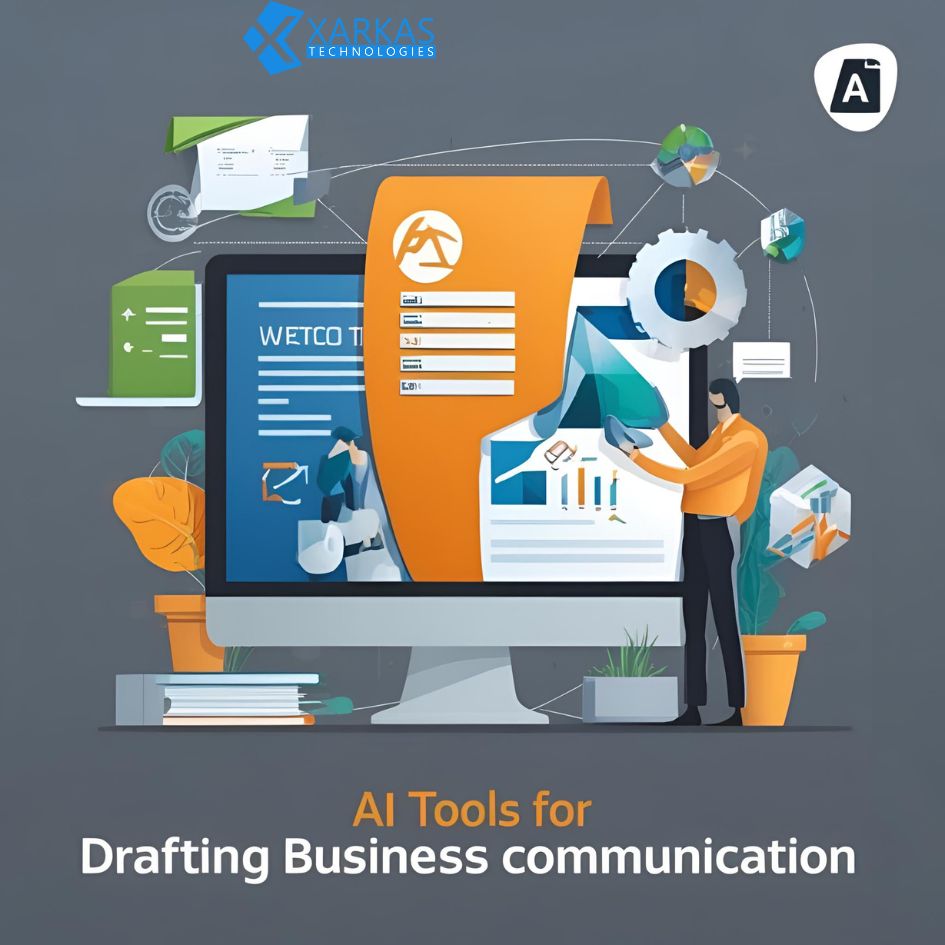
The integration of AI writing assistants into business workflows allows companies to:
-
Maintain brand voice across documents
-
Improve grammatical accuracy
-
Save time on routine communication
-
Generate professional tone without manual editing
-
Enhance collaboration across departments
With Natural Language Processing (NLP) advancements, today’s tools do more than check grammar—they understand context, tone, and intent.
1. ChatGPT by OpenAI – The Ultimate Business Writing Assistant
ChatGPT, developed by OpenAI, is one of the most advanced and versatile tools for business communication drafting. With a robust understanding of professional tone and corporate language, ChatGPT can:
-
Draft emails, proposals, reports, and summaries
-
Rewrite text to improve clarity and tone
-
Generate meeting notes and action plans
-
Create customer support response templates
-
Develop HR-related documents like policy updates or onboarding guides
By feeding ChatGPT with prompts such as “Write a formal email to a client regarding a product delay,” it can produce polished, client-ready content in seconds. It’s also accessible via platforms like Microsoft Teams and Slack through integration tools.
2. Grammarly Business – Beyond Spellcheck
While Grammarly started as a grammar checker, its Business edition is tailored for professional use. Key features include:
-
Tone detection to ensure communication aligns with brand voice
-
Style guides to enforce uniformity across all employee-written content
-
Real-time suggestions for emails, documents, and collaboration platforms
-
Integration with Microsoft Word, Gmail, Google Docs, and more
Grammarly Business is perfect for teams that require consistency in client-facing communication or technical writing.
3. Jasper AI – AI for Marketing and Sales Teams
Jasper AI excels in generating persuasive content for sales emails, marketing collateral, and newsletters. It’s particularly useful for:
-
Creating cold outreach templates
-
Writing press releases and announcements
-
Drafting SEO-optimized blog content
-
Producing scripts for webinars or presentations
Jasper also offers collaborative tools for team workflows and templates specifically designed for business communication scenarios.
4. Microsoft Copilot – Embedded AI for Office Tools
Microsoft Copilot, embedded within tools like Word, Outlook, and Excel, brings AI-powered assistance directly into the daily tools used by millions. Key benefits include:
-
Auto-drafting emails based on meeting notes or prior communications
-
Summarizing long threads in Outlook
-
Converting bullet points into professional paragraphs in Word
-
Drafting slides and reports based on raw data in Excel
For businesses heavily invested in the Microsoft 365 ecosystem, Copilot dramatically enhances workflow productivity.
5. Notion AI – Dynamic Internal Communication Helper
Notion AI supports teams in documenting and communicating ideas internally. With its flexible workspace structure and intelligent AI support, it helps with:
-
Writing and summarizing meeting notes
-
Drafting internal announcements
-
Generating project briefs and updates
-
Creating structured knowledge base articles
Notion AI also supports multilingual drafting, making it ideal for international teams.
6. QuillBot – Paraphrasing with Professional Precision
QuillBot is best known for its paraphrasing capabilities, helping users rewrite and improve the tone of messages. Key applications in business include:
-
Rewriting emails for better professionalism
-
Polishing project documentation
-
Improving clarity in technical communication
-
Creating variations of marketing or onboarding messages
It also includes grammar checks, summarization tools, and a citation generator, making it suitable for corporate training content.
7. Writer.com – Enterprise-Grade AI Writing Assistant
Writer.com is built for enterprises seeking AI content governance and customization. It goes beyond generic writing support with:
-
Brand voice enforcement using style and terminology guides
-
Compliance checks for regulated industries
-
Pre-built and custom templates for SOPs, legal memos, product descriptions
-
Seamless integration into tools like Figma, Chrome, and CMS systems
Its enterprise-first design makes it one of the most powerful tools for regulated and formal business writing.
8. Tactiq – AI Meeting Transcript and Summary Generator
Meetings often result in action items and follow-ups that must be documented and communicated. Tactiq records, transcribes, and summarizes meetings conducted over Zoom, Google Meet, and Microsoft Teams. Benefits include:
-
Instant generation of meeting minutes
-
Identification of key decisions and action points
-
Auto-shared summaries with attendees
-
Searchable transcripts for knowledge retrieval
Tactiq significantly reduces the manual effort of post-meeting documentation.
9. Copy.ai – Fast Generation for Customer Communication
Copy.ai is designed to help teams rapidly generate customer-facing content. With specialized templates and AI flows, it enables:
-
Crafting product announcements and updates
-
Generating customer support responses
-
Writing apology and retention emails
-
Creating onboarding flows and FAQs
Copy.ai’s automation saves hours of repetitive writing and ensures a consistent tone across channels.
10. Compose AI – Smart Autocomplete for Business Messaging
Compose AI is a Chrome extension that uses AI to autocomplete sentences in real-time across all platforms. Perfect for business environments where speed and clarity matter, its features include:
-
Context-aware sentence completion
-
Keyboard shortcuts to rewrite text in different tones
-
Email auto-responses generation
-
Integration with platforms like Gmail, LinkedIn, and Google Docs
It enhances daily communication efficiency across teams and customer support functions.
There some Free content writing tools Check Out
Choosing the Right AI Tool for Your Business
Each AI tool brings unique strengths tailored to specific communication needs. When choosing the right solution, businesses should consider:
-
Team size and structure
-
Industry-specific compliance requirements
-
Preferred communication platforms
-
Collaboration and workflow tools
-
Desired level of customization
Investing in the right AI communication assistant can significantly elevate professionalism, efficiency, and clarity across your entire organization.
Learn more about AI tools for content writing
Final Thoughts
Embracing AI for business communication is no longer optional; it’s a competitive necessity. Whether you’re drafting high-stakes client emails, summarizing key meetings, or ensuring consistent internal messaging, the AI tools outlined above can streamline operations and improve communication quality at scale. By selecting the right platform, businesses can boost productivity, enhance professionalism, and stay ahead in the digital workplace.






No Comment! Be the first one.